LinkedIn and email in one campaign
Invite on LinkedIn, message when they accept, follow up by email. Your CRM, Clay or any API joins at any step.
 Kerux
Ready to use
SendsparkA personalized video for each contact.ClayEnrich contacts and continue when the data comes back.SlackAlerts when a contact replies or needs you.Every integration runs on the same HTTP steps and listeners, so any tool with an API works.All integrations
One key, the whole API
curl https://www.usekerux.com/api/v1/leads \
  -H "Authorization: Bearer $KERUX_KEY"
API reference
LinkedIn and email in one campaign, as a sequence or a branching workflow, with your CRM, Clay or any API at any step. Change it while it runs and see what every contact is waiting for.
10-day free trial · Cancel in one click
Campaigns people build in Kerux
Answer a form contact in minutes
Reach who liked a competitor's post
Follow up warm contacts on WhatsApp
Enrich with Clay, then write
From a reply to a booked call
Follow up every webinar sign-up
Invite on LinkedIn, message when they accept, follow up by email. Your CRM, Clay or any API joins at any step.
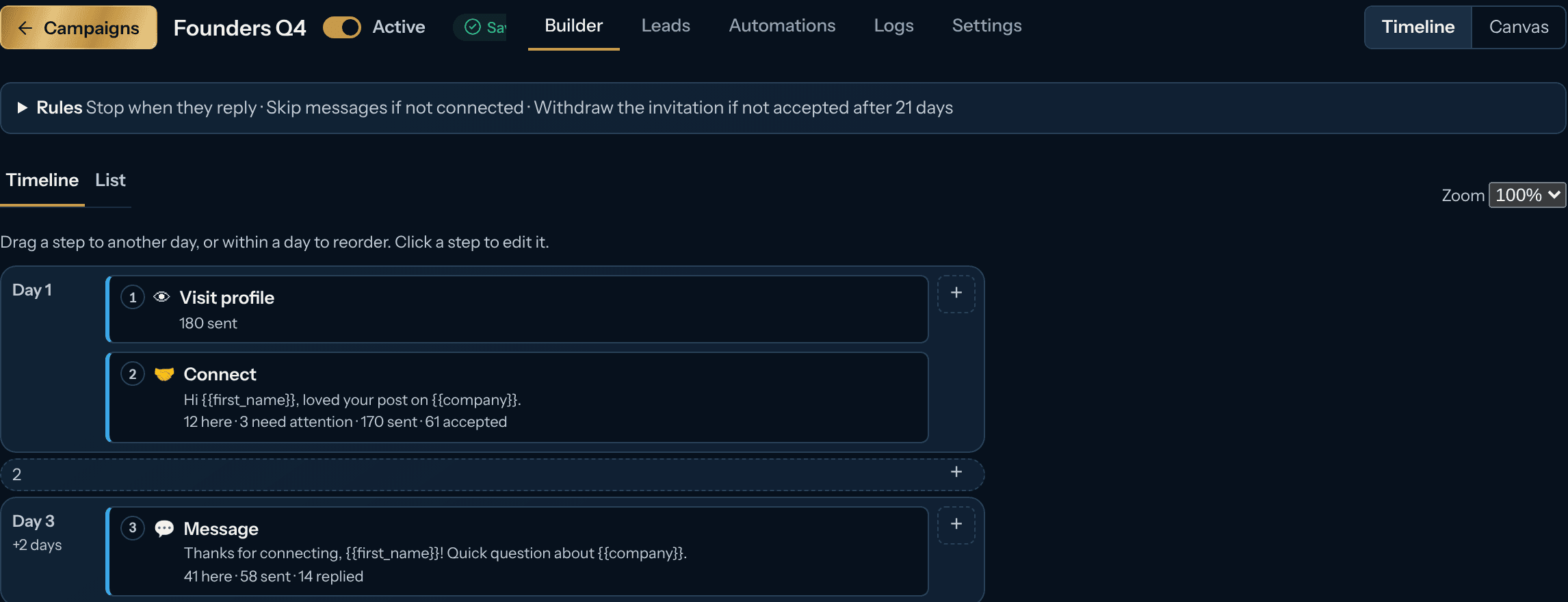
Day-by-day sequences or a branching canvas, started by a form, a reply or any webhook. Describe it and the AI builds it; edit it while it runs.
Call a tool, wait for its answer, continue. Every waiting contact shows why, nothing is sent twice, and every account stays inside safe limits.
10days of free trial
9types of reply recognized
0messages sent with an empty variable
4languages: EN, ES, DE, FR
A personalized video per contact: create it, wait until it's ready, send its link.
Enrich a contact and continue when the data comes back.
Create or update the contact when a contact accepts or replies, with an API step.
Hand the contact to an Instantly campaign so email follows LinkedIn, with an API step.
Post to a channel when a contact replies or needs you.
Signed events to n8n, Make or your own backend.
Call it mid-flow and use its answer in the next steps.
Ask about your campaigns, fix stuck contacts and build drafts by chat.
Sendspark, Clay and Slack are ready-made steps. HubSpot, Instantly and any other tool with an API connect through an API step. All integrations
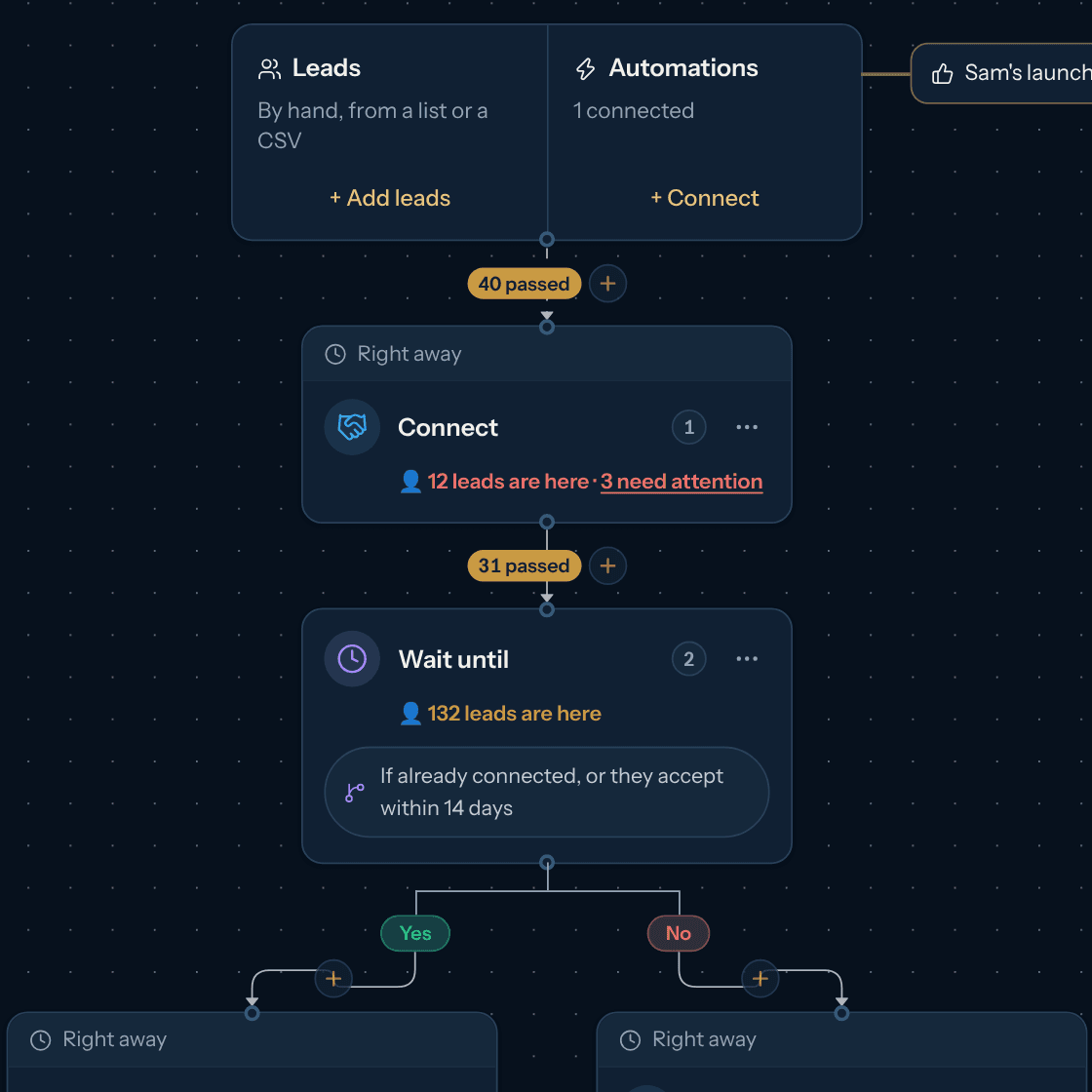
Draw the campaign on a canvas: invite on LinkedIn, follow up by email, and branch on what each contact does. Add AI research, a Sendspark video, a WhatsApp message or a call to your own tools anywhere, and watch contacts move through each step live.
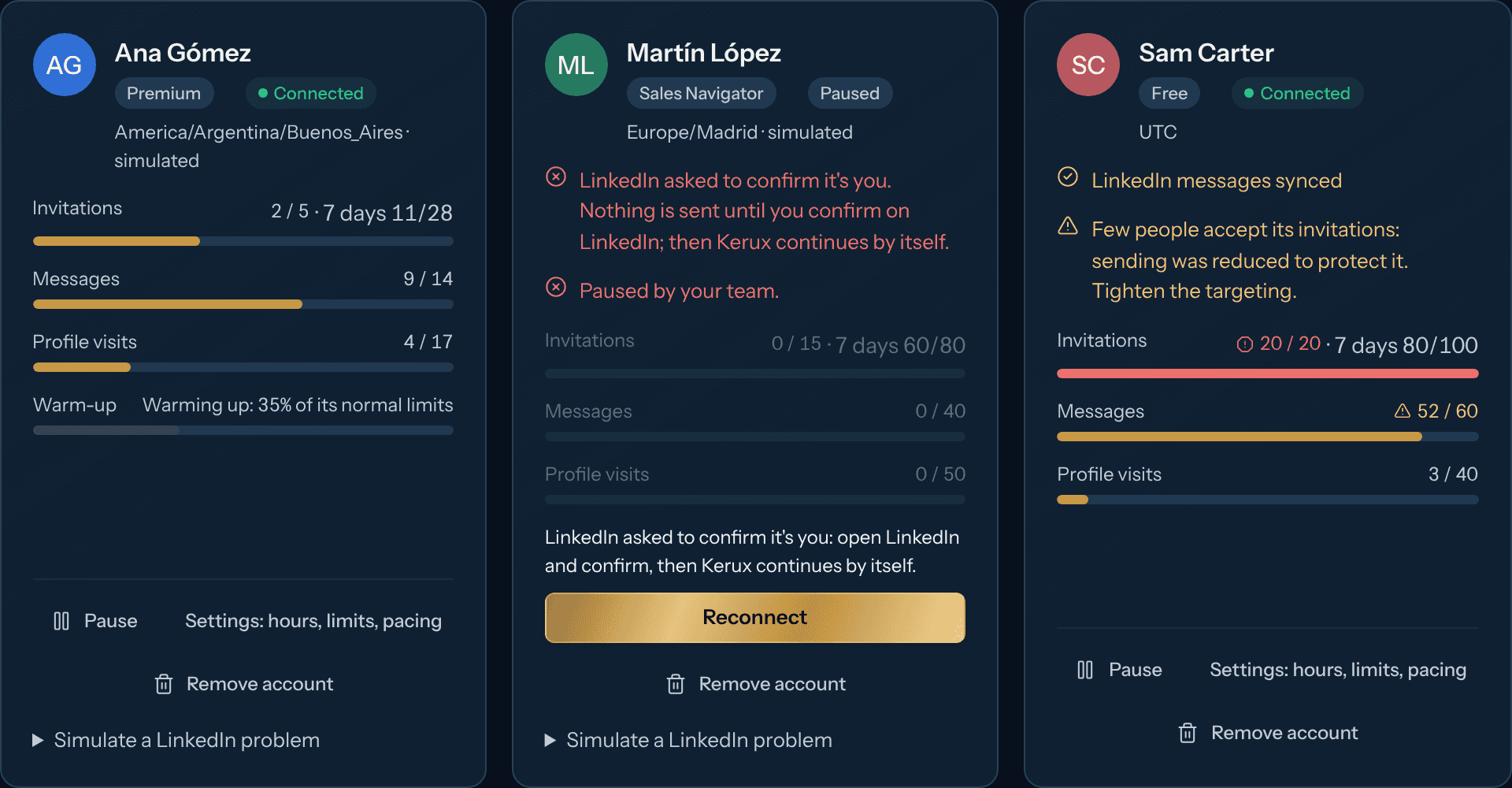
Each account has its own daily and weekly limits, warm-up, working hours and random pauses between actions. Kerux never goes over them, and it slows down by itself when few people accept.
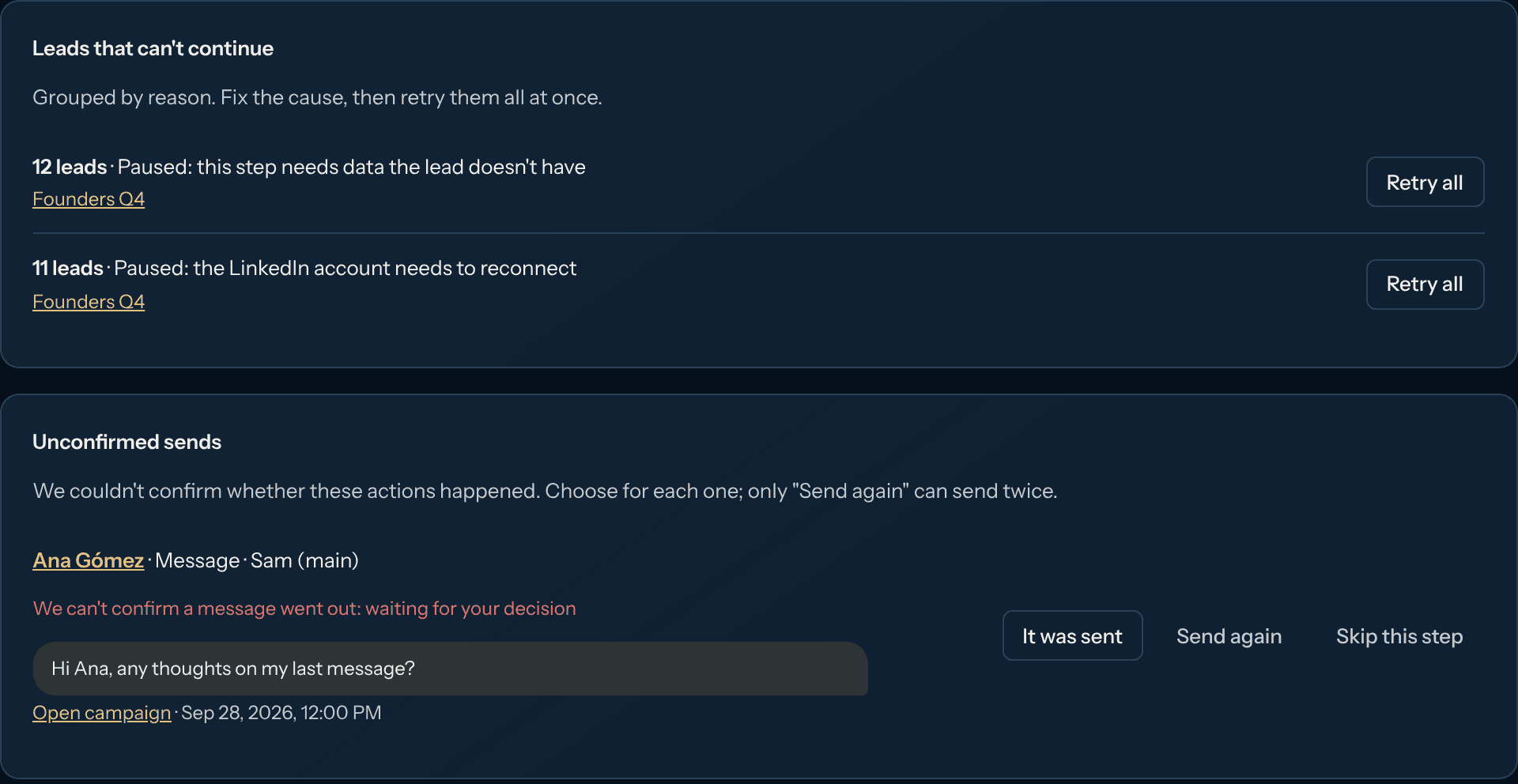
Contacts that can't continue are grouped by reason in plain words: missing data, an account to reconnect, a send we couldn't confirm. Fix the cause once and retry them all.
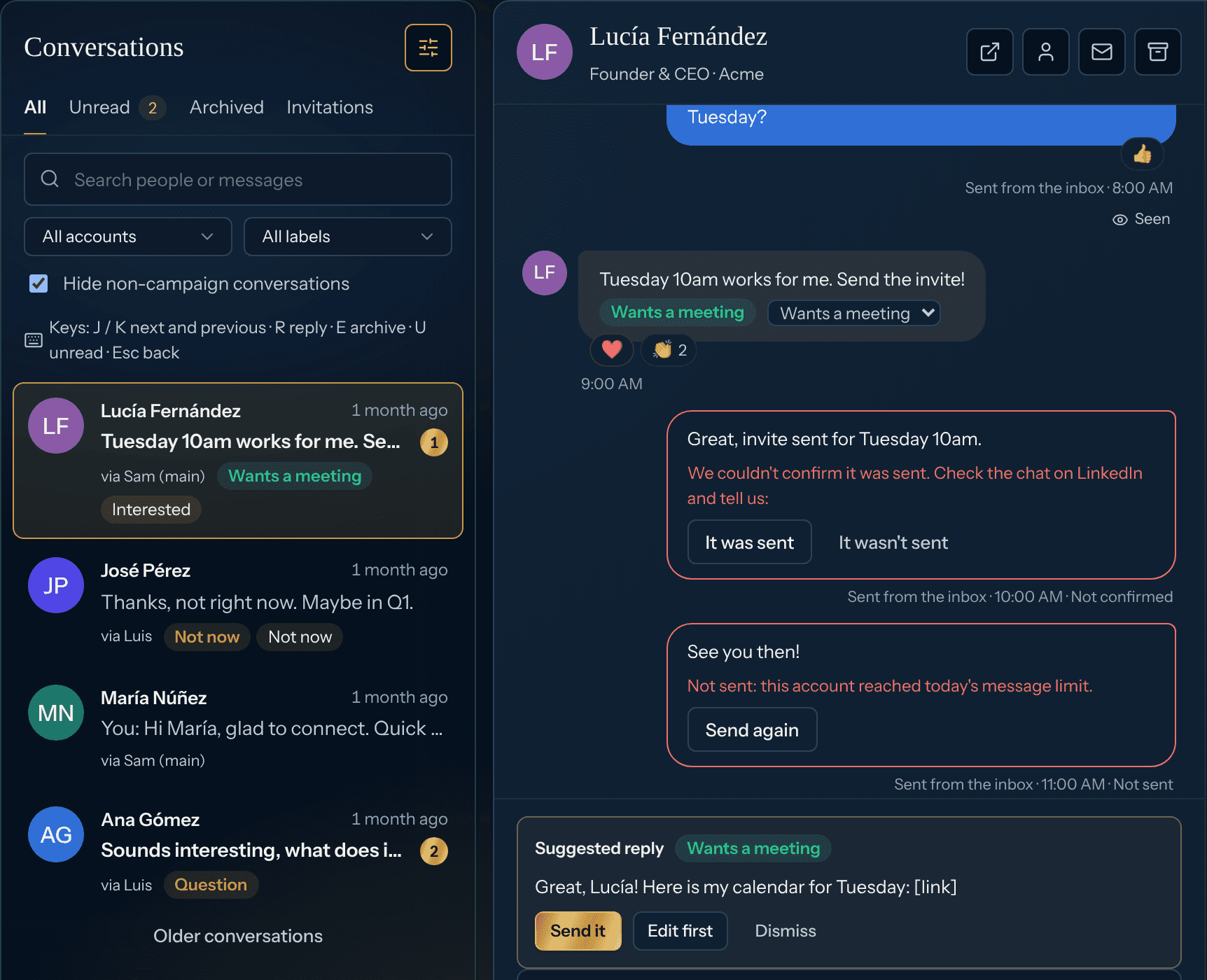
LinkedIn, email and WhatsApp conversations in one place, each answered on its own channel. Kerux sorts every LinkedIn reply (positive, wants a meeting, question, not now...) and leaves an answer ready to send in one click.
Change messages, waits or steps while it runs. Edits save by themselves and go live with one click; contacts that already did a step never do it again.
Everything you do in the app, you can do from the public API. Signed webhooks for every event, including each type of reply, and an MCP server for AI assistants.
{
  "data": {
    "items": [{
      "type": "meeting_requested",
      "confidence": 0.96,
      "classified_by": "ai",
      "text": "Thursday works, send the invite!",
      "received_at": "2026-10-21T15:01:00Z"
    }]
  }
}reply.meeting_requestedlinkedin.invitation_acceptedenrollment.completed
| Feature | Kerux | HeyReach | Expandi |
|---|---|---|---|
| Price per LinkedIn account, billed monthly | $59 per account, $47 yearly | $79 | $99 |
| Free trial | 10 days | 14 days | 7 days |
| Priced per LinkedIn account, teammates free | Yes | Yes | Yes |
| Public API and webhooks | Yes | Yes | - |
| MCP server | Yes | Yes | - |
| White label for agencies | Not yet | Yes, on agency plans | - |
From each company's public pricing and help pages, October 2026. A dash means we couldn't confirm it on their public pages. Prices change; check their sites.
Kerux keeps every account within safe daily and weekly limits, warms up new accounts, sends only in working hours with human-like pauses, and never bypasses LinkedIn's limits. You can see and change all of it.
LinkedIn from your own accounts (invitations, messages, InMails, visits, likes and follows), email from your Gmail, Outlook or IMAP inbox and WhatsApp from your own number (connected with a QR code), in any order in the same campaign. Your CRM, Clay, Sendspark, Slack or any API can join at any step. Email and WhatsApp are part of Pro and Agency.
Each LinkedIn profile you connect to Kerux to send from. That's the only thing we charge for: teammates, clients and assistants are free, as many as you want.
Yes. Every organization starts with a 10-day free trial with all Pro features, one workspace and 1 LinkedIn account, without paid add-ons such as email inboxes (Pro's included inbox and WhatsApp number come with the first payment). Sign up with your work email and no card is needed: you only enter a card when you choose a plan. With a free email such as Gmail, the trial starts with a card and nothing is charged for 10 days; cancel before it ends and you are never charged.
Yes. Write with AI and Suggest reply are included in every plan, with a monthly amount of AI credits per LinkedIn account. The AI campaign builder and the assistant are part of Pro and Agency. You never need your own AI key.
Yes. Kerux works with Claude and ChatGPT through its connector (MCP): add it as a custom connector, sign in, then pick a workspace and what the assistant may do (read-only unless you tick more). Ask what needs your attention, why a contact is stuck, or to build a campaign draft. It asks you before it launches or sends anything. Part of Pro, Agency and the free trial.
Yes. Kerux charges only per LinkedIn account, never per user. Invite everyone and give each person the role they need. Pro has one workspace; Agency has a workspace per client.
Yes. Cancelling stops the next renewal and you keep access until the end of the period you paid for.
10-day free trial. Cancel in one click.
Start free trial