
Moves on its own
A reply moves the contact to Replied, a booked meeting to Meeting booked. Only forward, and never out of Won or Lost.
 Kerux
Ready to use
SendsparkA personalized video for each contact.ClayEnrich contacts and continue when the data comes back.SlackAlerts when a contact replies or needs you.Every integration runs on the same HTTP steps and listeners, so any tool with an API works.All integrations
One key, the whole API
curl https://www.usekerux.com/api/v1/leads \
  -H "Authorization: Bearer $KERUX_KEY"
API reference
Kerux has a pipeline board next to your LinkedIn and email campaigns. Contacts move to Replied and Meeting booked on their own, and after a recorded Google Meet call the transcript and an AI summary with the next steps land on the contact.
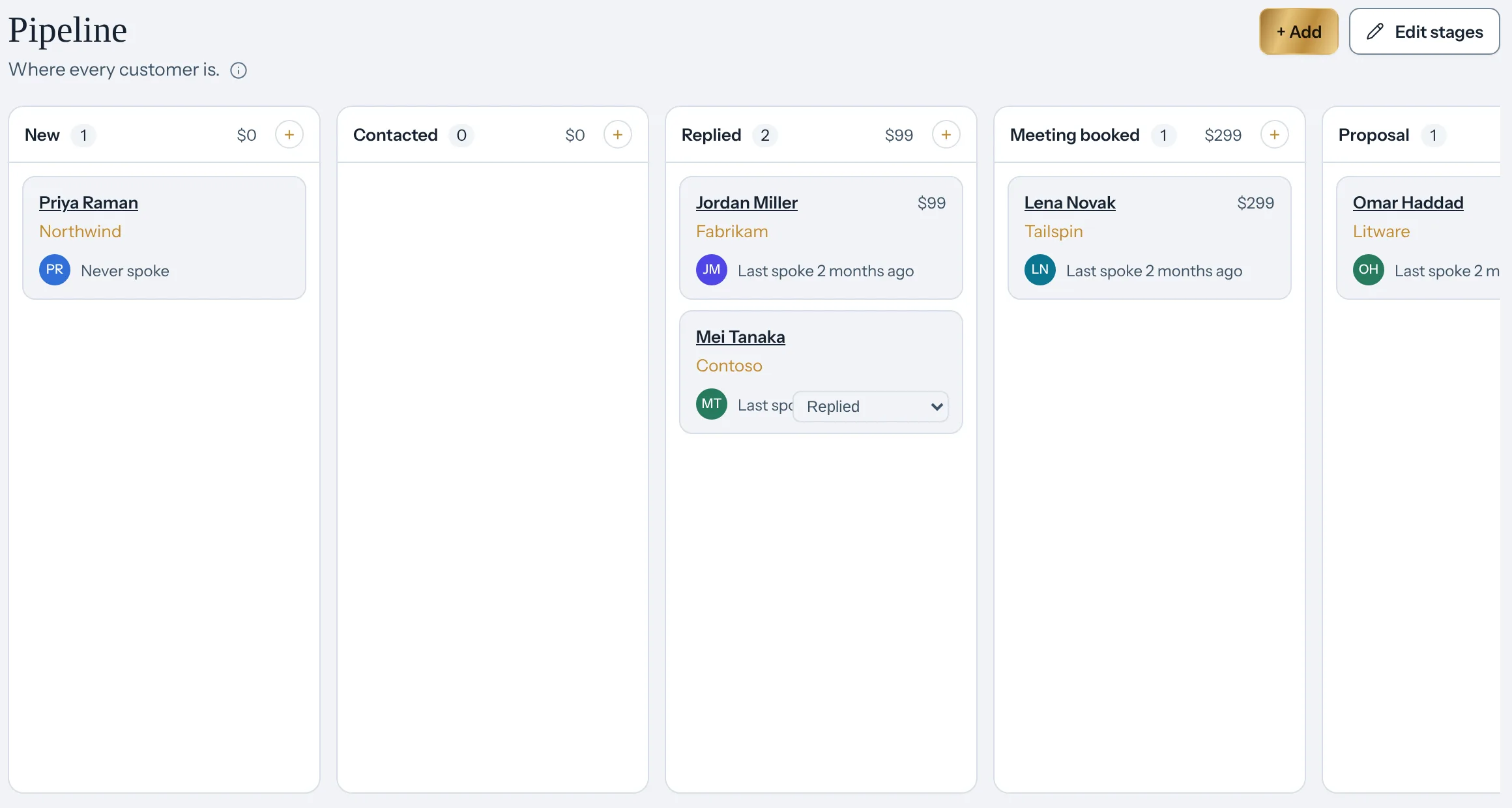
A reply moves the contact to Replied, a booked meeting to Meeting booked. Only forward, and never out of Won or Lost.
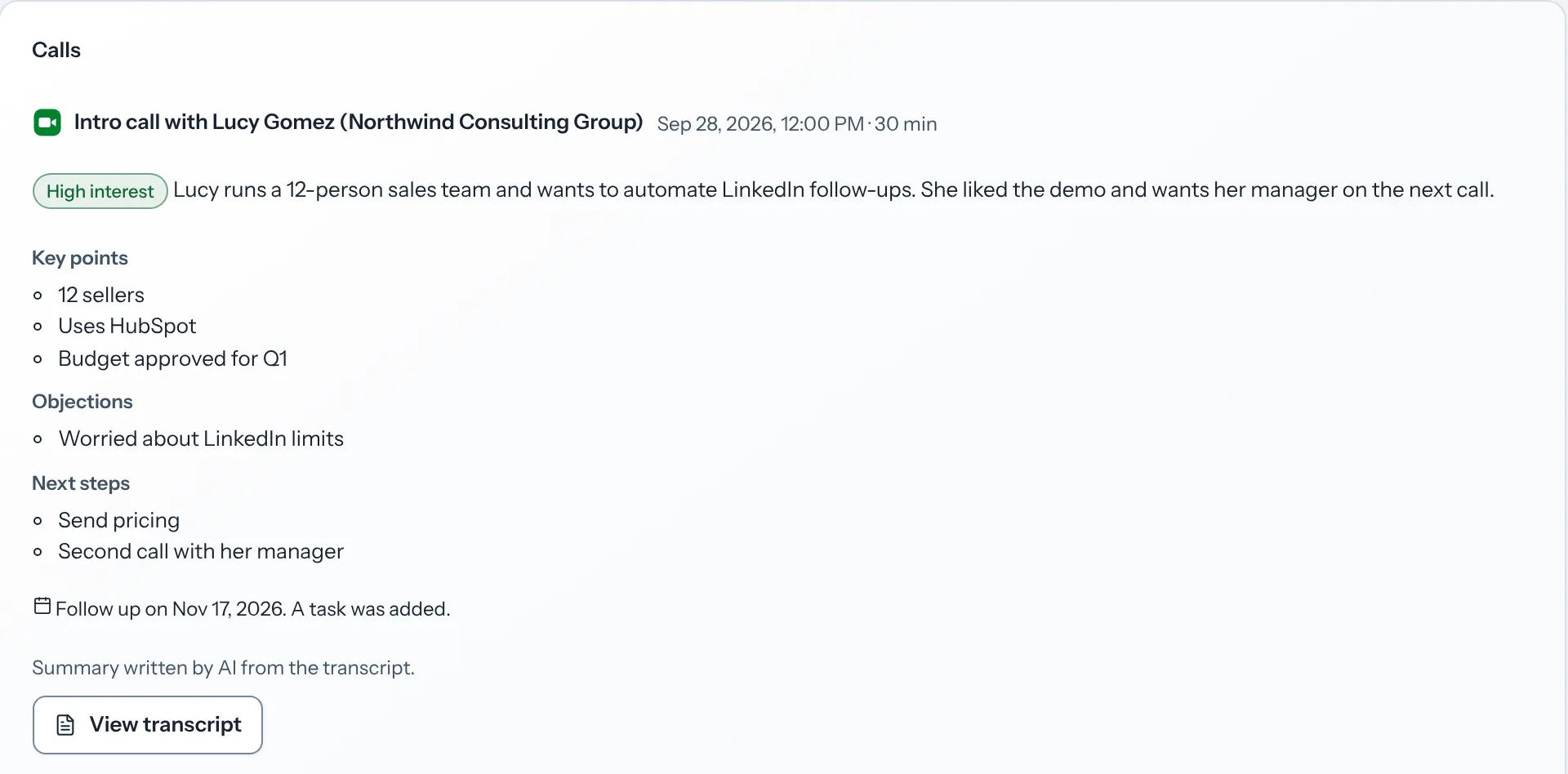
After a recorded call: the transcript, what was discussed, objections, next steps and a follow-up task.
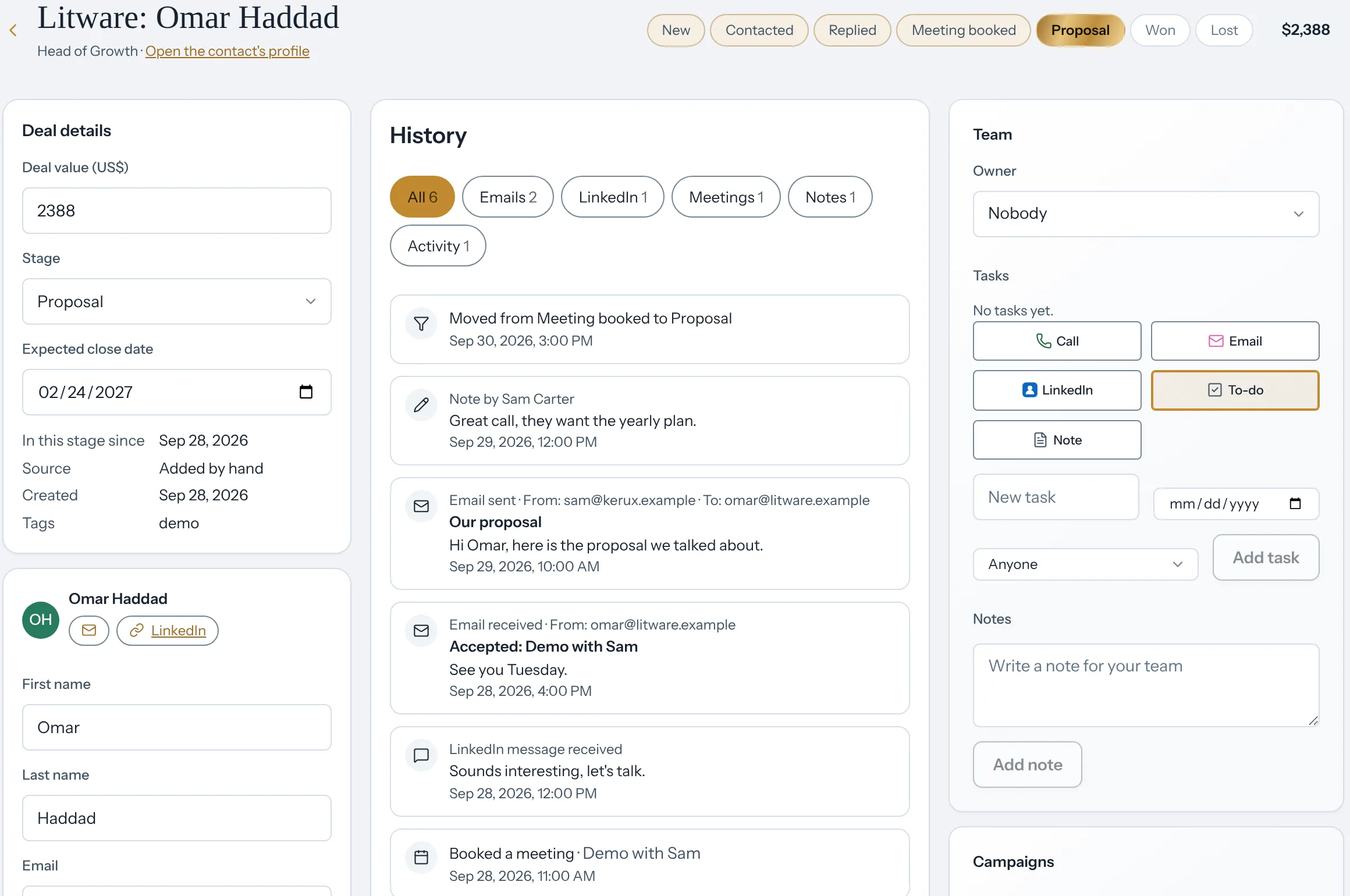
Deal value, stage, expected close date, and every email, LinkedIn message, meeting and note in one history.
Each column is a stage (New, Contacted, Replied, Meeting booked, Proposal, Won, Lost) with its count and value. Each card shows the deal value and when you last spoke. Drag a card, or let replies and bookings move it.
Connect Google Calendar and turn on Meet transcripts. After a recorded call, planned or not, the contact's Calls card shows the summary: interest, key points, objections and next steps. If they asked to talk again on a date, a task is added for that day. Nothing joins your calls.
Click a card to open the deal: stage buttons, the deal value, the expected close date, the contact's details, and a history with tabs for Emails, LinkedIn, Meetings, Notes and Activity.
Every move sends the lead.stage_changed webhook event, and the Pipeline stage changed trigger can start a campaign. The API reads the board and moves contacts.
Omar Haddad, Head of Growth at Litware, replies to your second LinkedIn message.
| Situation | Many outreach tools | Kerux |
|---|---|---|
| Where deals live | A separate CRM, synced from the outreach tool. | A board next to the campaigns. Your CRM can still sync through webhooks and the API. |
| Moving cards | By hand, or by a sync rule you set up. | Replied and Meeting booked move on their own. |
| Call notes | A separate note-taker, then notes copied into the CRM. | Transcript and AI summary of recorded calls on the contact, with a follow-up task. |
A general picture from public product pages and help centers, checked in November 2026. Tools differ and change, so check the ones you use.
Yes. Click Pipeline in the left menu: a board with a column per stage and a card per contact, with deal values. Owners and admins can rename, add, remove or reorder stages (2 to 20).
When a contact replies on LinkedIn, by email or by text they move to Replied, and when they book a meeting they move to Meeting booked. You can also add a contact from the board or pick a stage on the contact's Pipeline card. Being contacted by a campaign doesn't put anyone on the board.
Yes, from the transcript your call tool already saved. For recorded Google Meet calls, Kerux adds the transcript to the contact and writes a summary with key points, objections, next steps and a follow-up date. No bot joins the call. Calls on other tools can be uploaded or recorded on the contact's Calls card, on a computer.
A Google Workspace plan that includes transcripts, and Transcripts turned on during the call. Then connect Google Calendar in Kerux and click Turn on next to Google Meet transcripts. Kerux reads only the transcript text and who joined.
Each move, by hand or on its own, sends the lead.stage_changed webhook event, and the API reads the board and moves contacts. Use them directly, or through Zapier or Make, to keep your CRM in step.
Call transcripts are part of Meetings, and summaries part of the AI assistant. Both are in Pro, Agency and the free trial, and each summary uses a few AI credits.