
Describe it, get a campaign
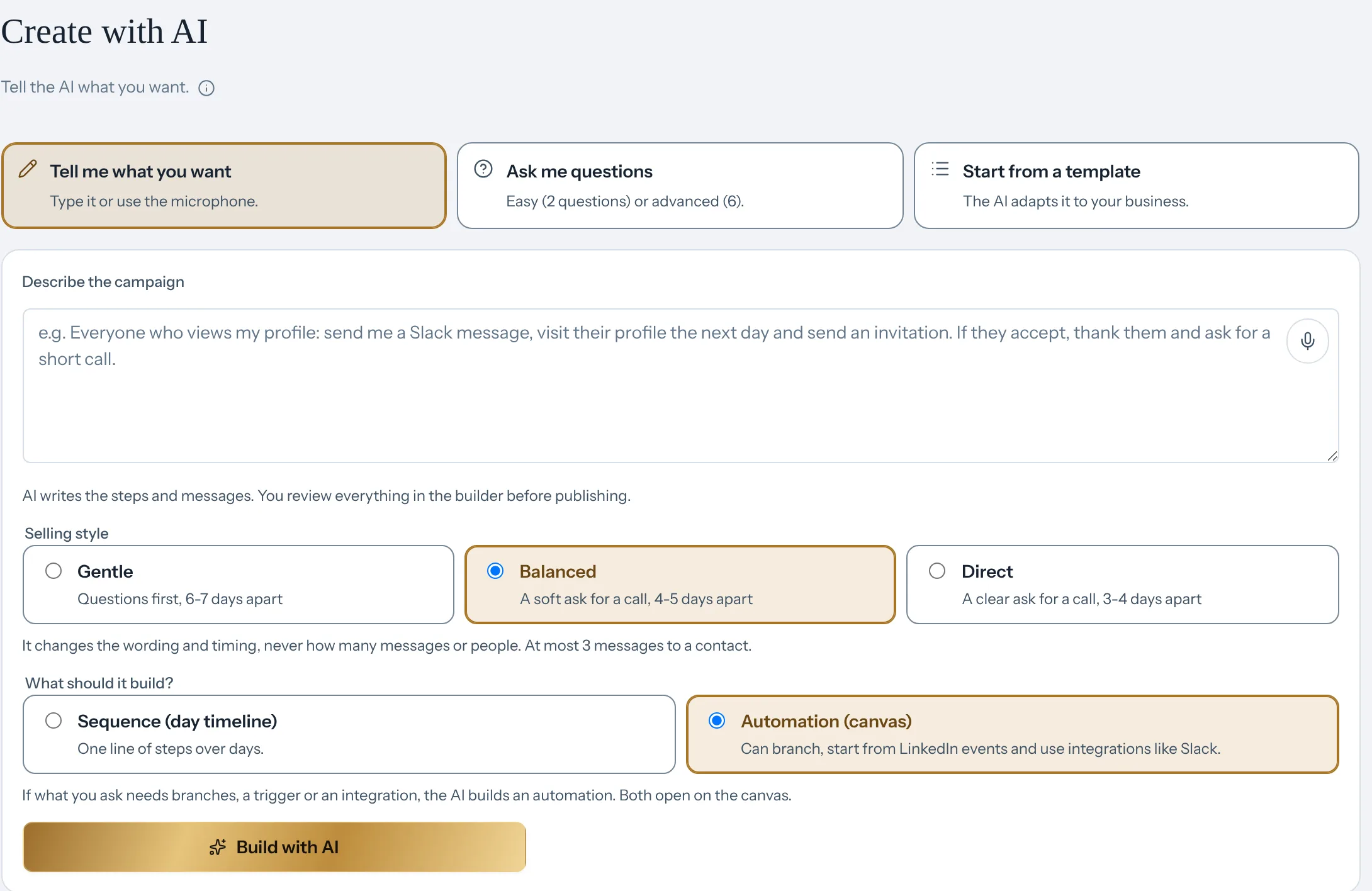
Type or say what you want. The AI builds a sequence or a branching automation and lists what it added and what it couldn't do.
 Kerux
Ready to use
SendsparkA personalized video for each contact.ClayEnrich contacts and continue when the data comes back.SlackAlerts when a contact replies or needs you.Every integration runs on the same HTTP steps and listeners, so any tool with an API works.All integrations
One key, the whole API
curl https://www.usekerux.com/api/v1/leads \
  -H "Authorization: Bearer $KERUX_KEY"
API reference
Kerux's AI assistant builds a LinkedIn and email campaign from a plain description, then stays open while you work. Ask it why contacts are waiting or what to add next, and it puts the steps it suggests in your draft. Nothing is sent until you launch.
Type or say what you want. The AI builds a sequence or a branching automation and lists what it added and what it couldn't do.
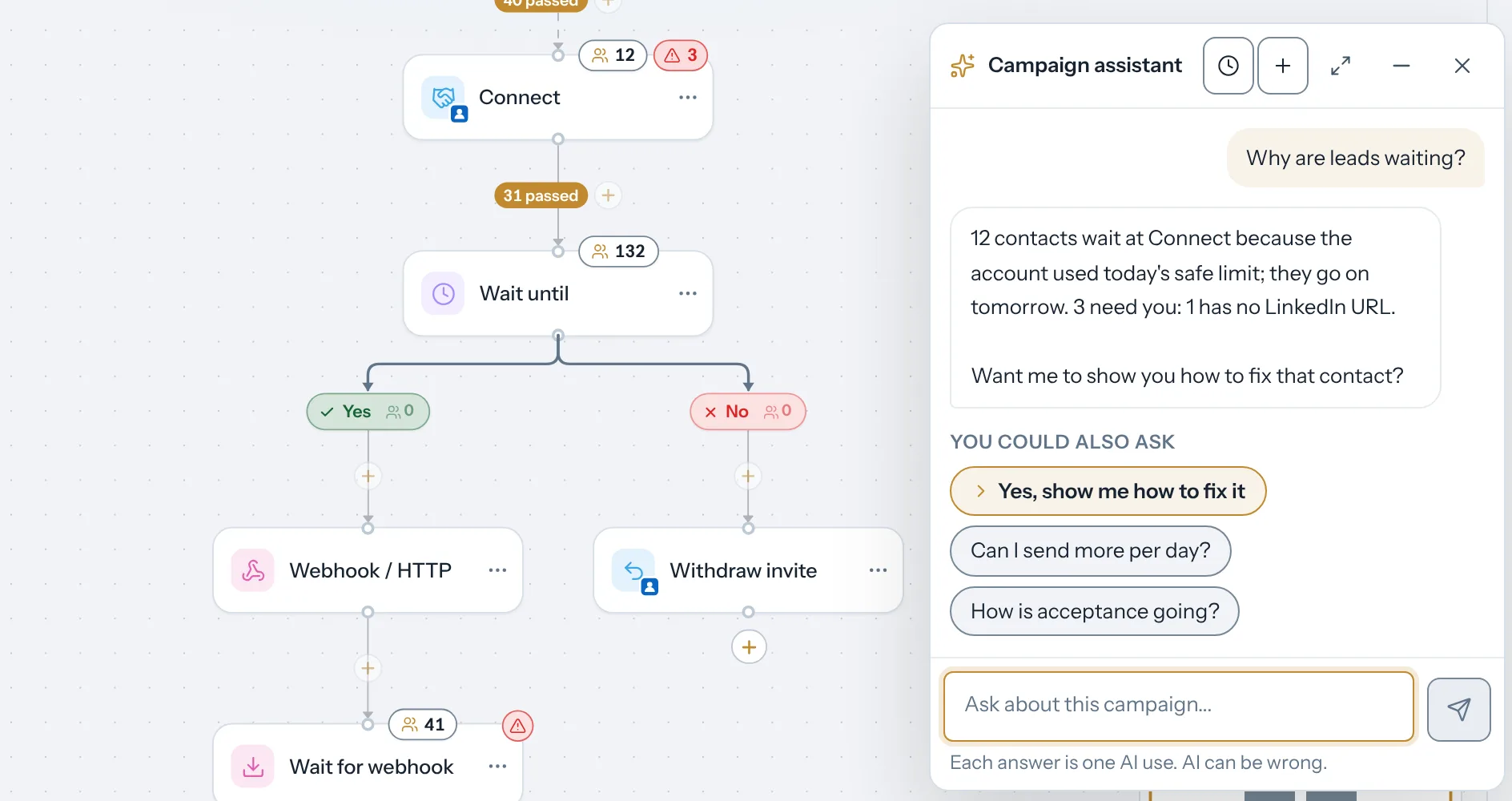
Ask AI reads the campaign's steps, numbers and waiting contacts, answers in a few lines and offers the next step.
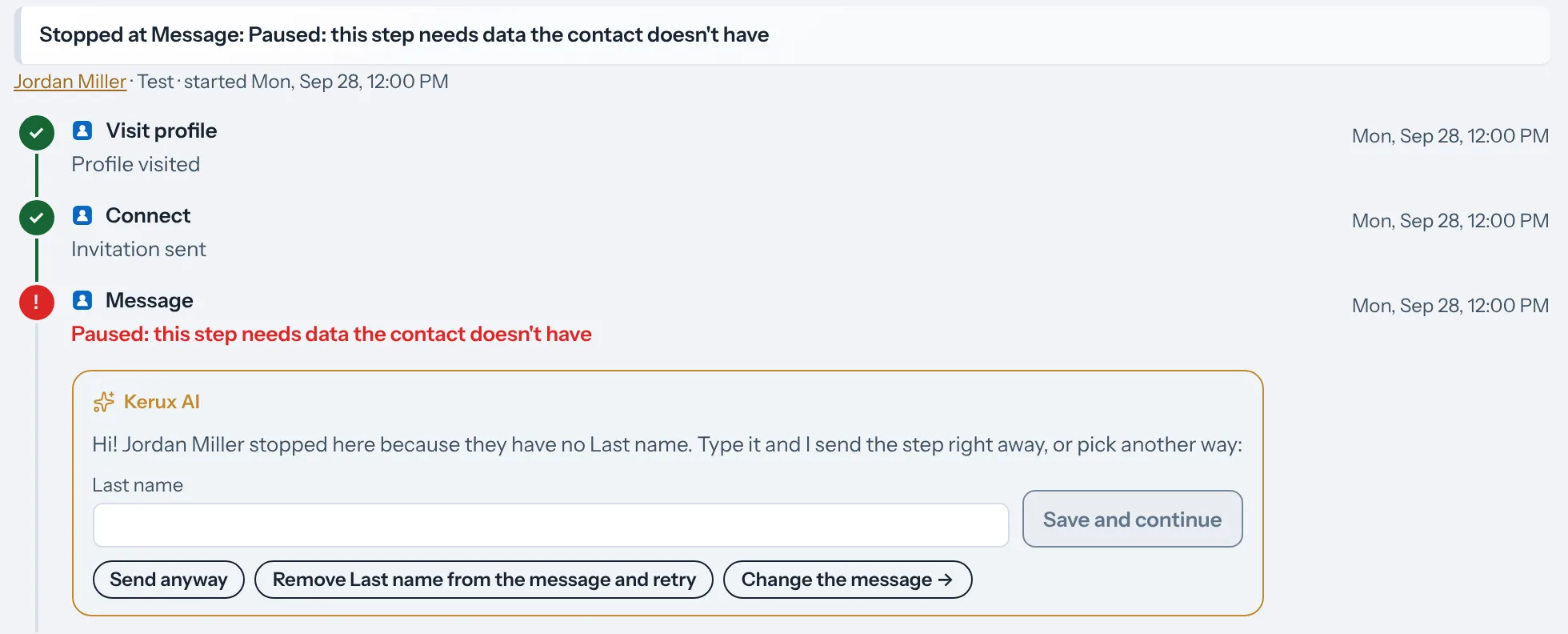
If the AI is unavailable, the common changes still come from your own words. A stopped contact gets its fix as buttons.
In Create with AI, write what you want or use the microphone, then pick a selling style and Sequence or Automation. The AI writes the steps and messages. A notes panel says what still needs you, like connecting Slack.
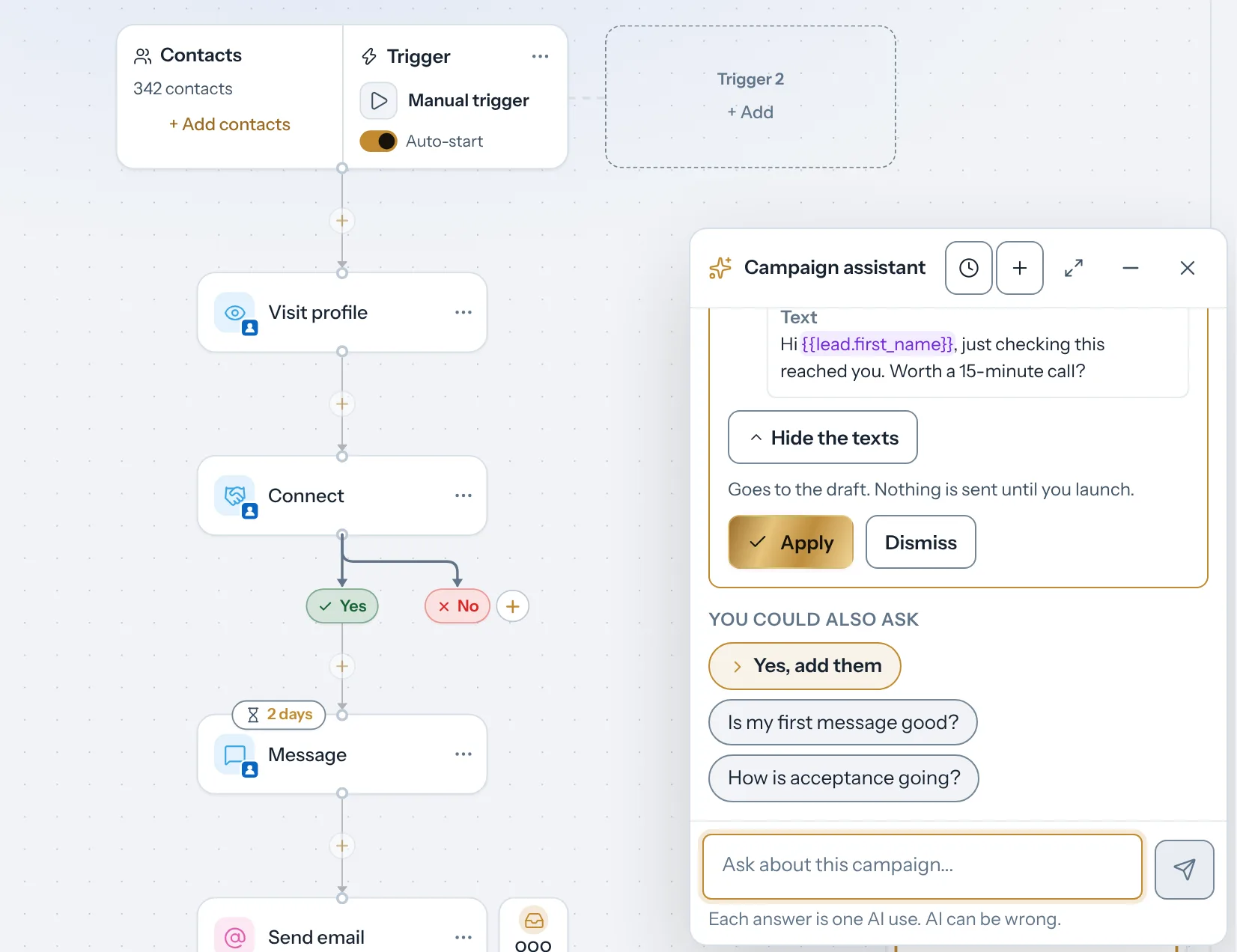
Open Ask AI inside the campaign and ask for a change, for example "Add a 3 day wait at the end". A Proposed change card shows every step and text it would add. Apply puts it in the draft, and Undo takes it back in one step.
When a contact stops, Kerux AI says why on that step and offers the fix as buttons: type the missing value and Save and continue, Send anyway, or remove the variable for everyone. These buttons use no AI credits.
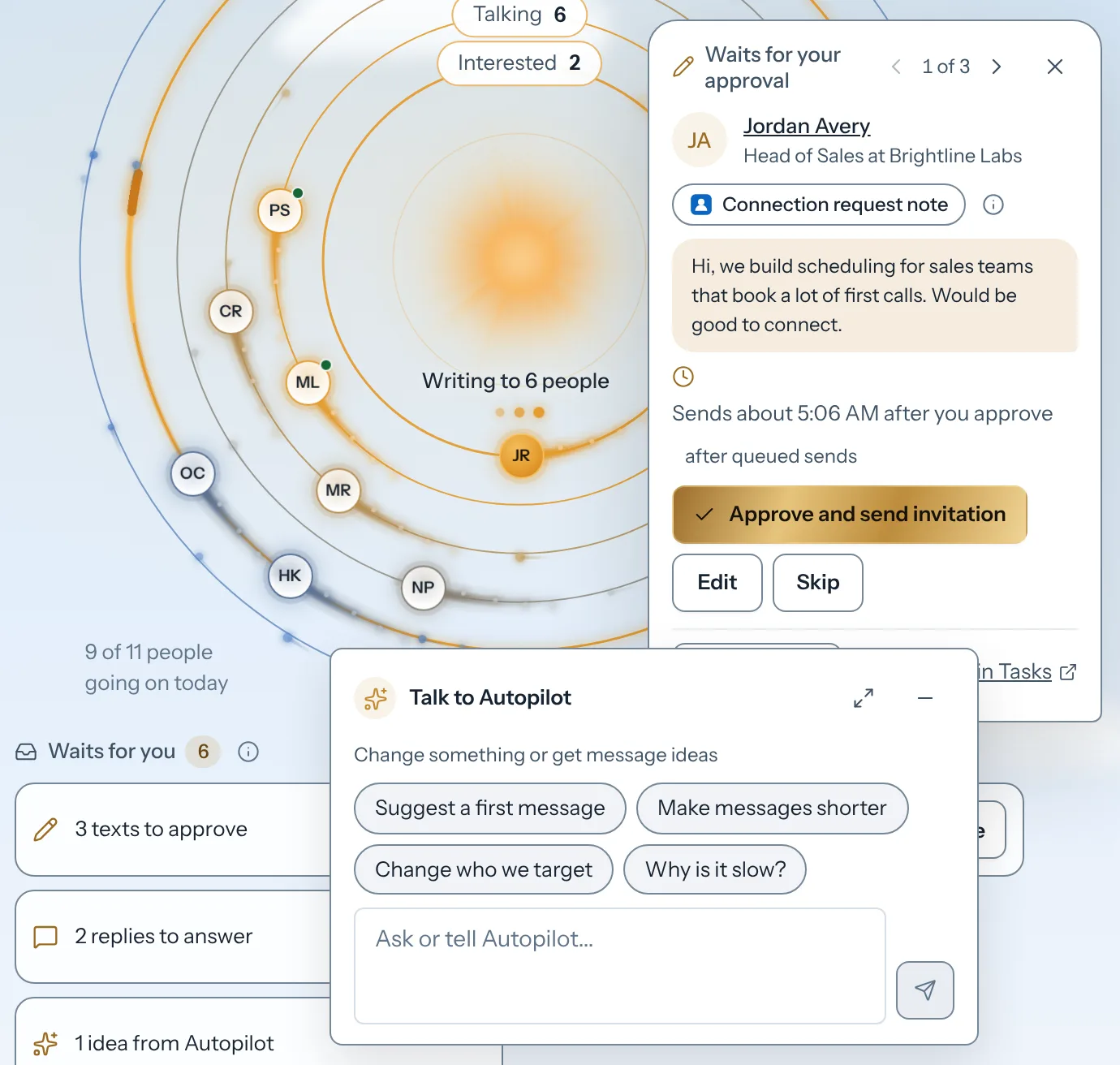
On an Autopilot campaign, ask why it's slow, get first message ideas or ask for a warmer tone. Nothing changes until you click Apply.
You type: "Everyone who views my profile: send me a Slack message, visit their profile the next day and send an invitation. If they accept, thank them and ask for a short call."
| Situation | Many outreach tools | Kerux |
|---|---|---|
| Starting a campaign | Pick a template or add steps one by one. Some tools now build a campaign from a prompt. | Describe it, typed or spoken. You get a sequence or a branching automation, with notes on what was added and what wasn't. |
| Help while you build | A help center or a support chat, outside the campaign. | Ask AI inside the campaign reads its steps and numbers, and adds the steps it suggests when you click Apply. |
| A contact that stops | An error status, and you look up the cause. | The reason on the step, with the fix as buttons. |
| Your own AI | Some tools offer an MCP server or an API for AI agents. | Connect Kerux to Claude or ChatGPT and ask the same questions there. |
A general picture from public product pages and help centers, checked in November 2026. Tools differ and change, so check the ones you use.
Yes. In Kerux, open Campaigns, click New campaign and choose Create with AI. Describe who to reach and what you want them to do, typed or spoken. The AI builds the steps and messages as a draft: a sequence, or an automation when you ask for branches, a trigger or an integration. Nothing is sent until you add contacts and launch.
No. Ask AI never sends or launches anything. In a campaign it changes steps only when you click Apply, and only in the draft. In an active campaign, contacts keep the live version until you click Save live.
Questions like What needs my attention?, How did this week go?, Why are contacts waiting? or Is my first message good? It answers with your real numbers. Inside a campaign it can add messages, waits, invitations, profile visits, checks such as "if they replied", AI steps and Find email, or change a message, a subject or a wait.
It does as much as it can and says what was left out. Ask AI can't add webhooks, links or WhatsApp steps, change accounts or settings, or launch, so it tells you where to click instead. If the AI is unavailable, Ask AI still offers the common changes from your own words: a wait, a follow-up message, a Find email step or an "if they replied" check.
Create with AI is on every plan and the free trial. Ask AI is part of Pro, Agency and the free trial, and each answer uses a few AI credits, usually 1 or 2. Autopilot, the campaign that runs itself, comes with Pro Plus and Agency Plus.
Yes. Connect Kerux to Claude or ChatGPT through MCP and ask the same questions there: what needs attention, why a contact is stuck, or build a campaign draft. A campaign starts from there only if you allowed it when you connected.