
Call any API, mid-flow
A Webhook / HTTP step sends the contact to your CRM, Clay, Slack or your own backend, at any point in the campaign.
 Kerux
Ready to use
SendsparkA personalized video for each contact.ClayEnrich contacts and continue when the data comes back.SlackAlerts when a contact replies or needs you.Every integration runs on the same HTTP steps and listeners, so any tool with an API works.All integrations
One key, the whole API
curl https://www.usekerux.com/api/v1/leads \
  -H "Authorization: Bearer $KERUX_KEY"
API reference
Kerux puts webhooks anywhere in a LinkedIn and email campaign. A step can call another tool's API, wait for that contact's own answer and continue with the data, all in one workflow. Triggers start the campaign from a form, a tag, a LinkedIn event or any app that sends a webhook.
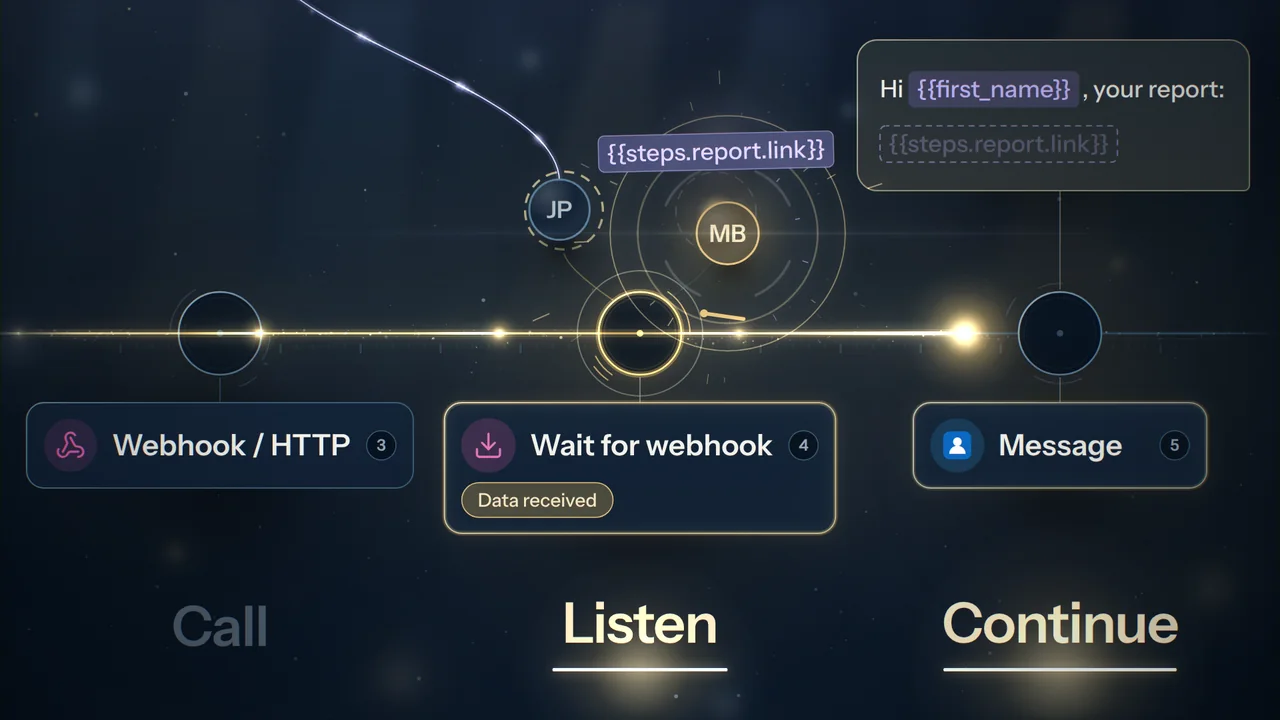
A Webhook / HTTP step sends the contact to your CRM, Clay, Slack or your own backend, at any point in the campaign.
Wait for webhook holds each contact until its own data arrives, matched by its callback URL or by a field like the email.
Use any field of the answer in later messages, or branch on it. A contact that times out takes its own path.
The start box takes one or more triggers: a LinkedIn event, a tag or field change, a date, a Kerux form, a lead ad form, or an incoming webhook from Clay, Zapier, Make or n8n.
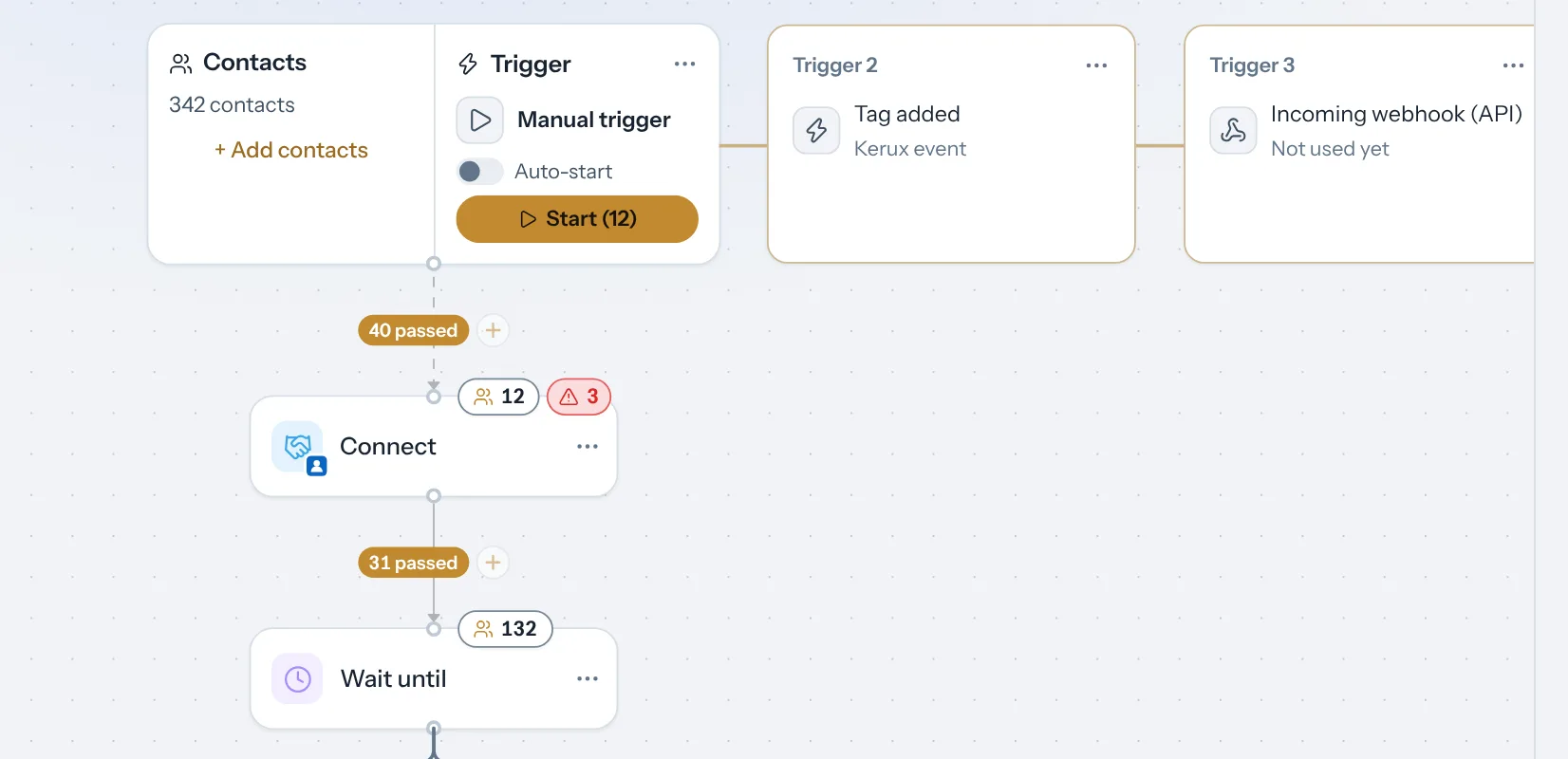
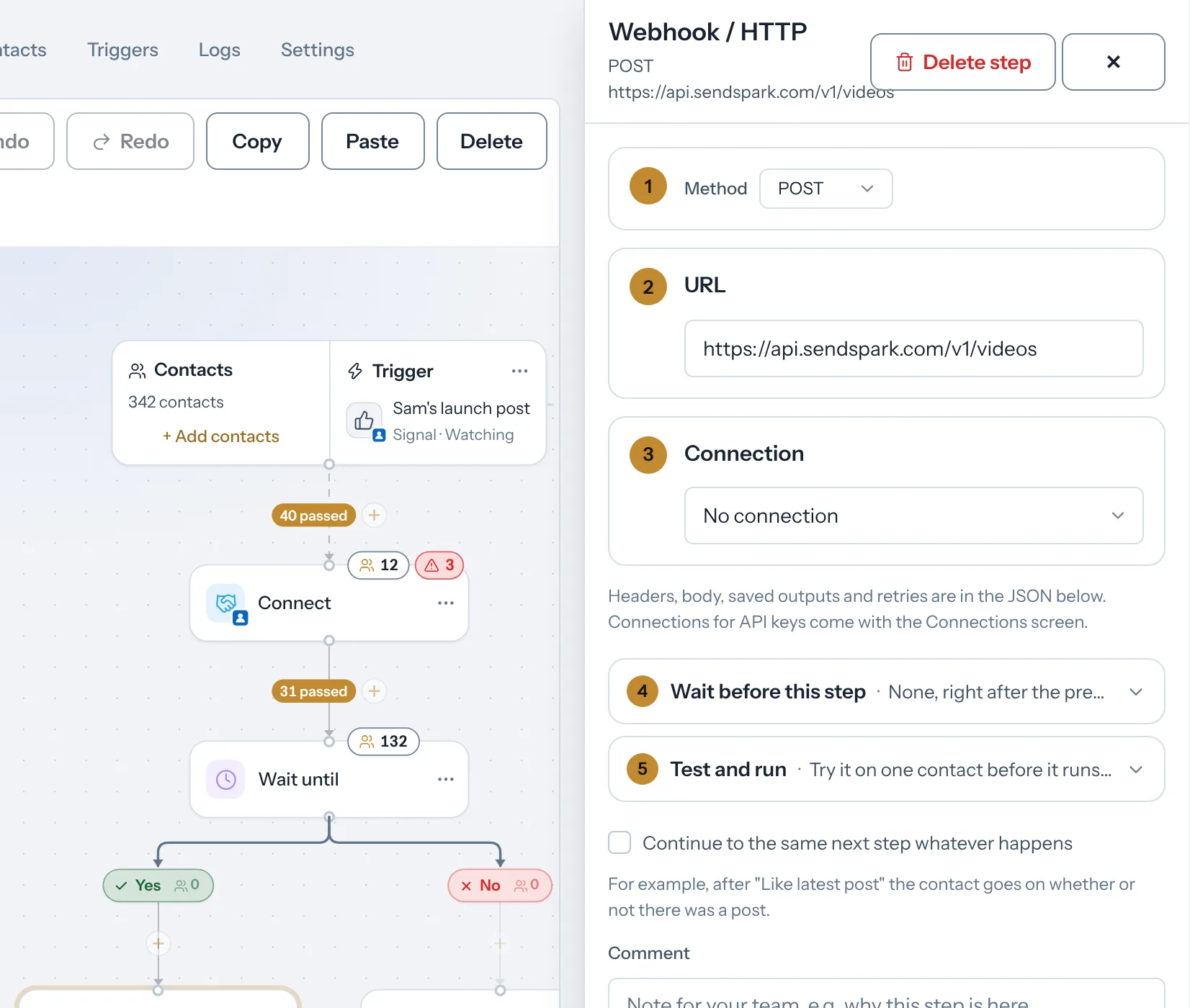
Add a Webhook / HTTP step where you need it, with the method, the URL and a saved Connection for the API key. For tools that answer later, Call & wait and Poll until do the waiting in one step.
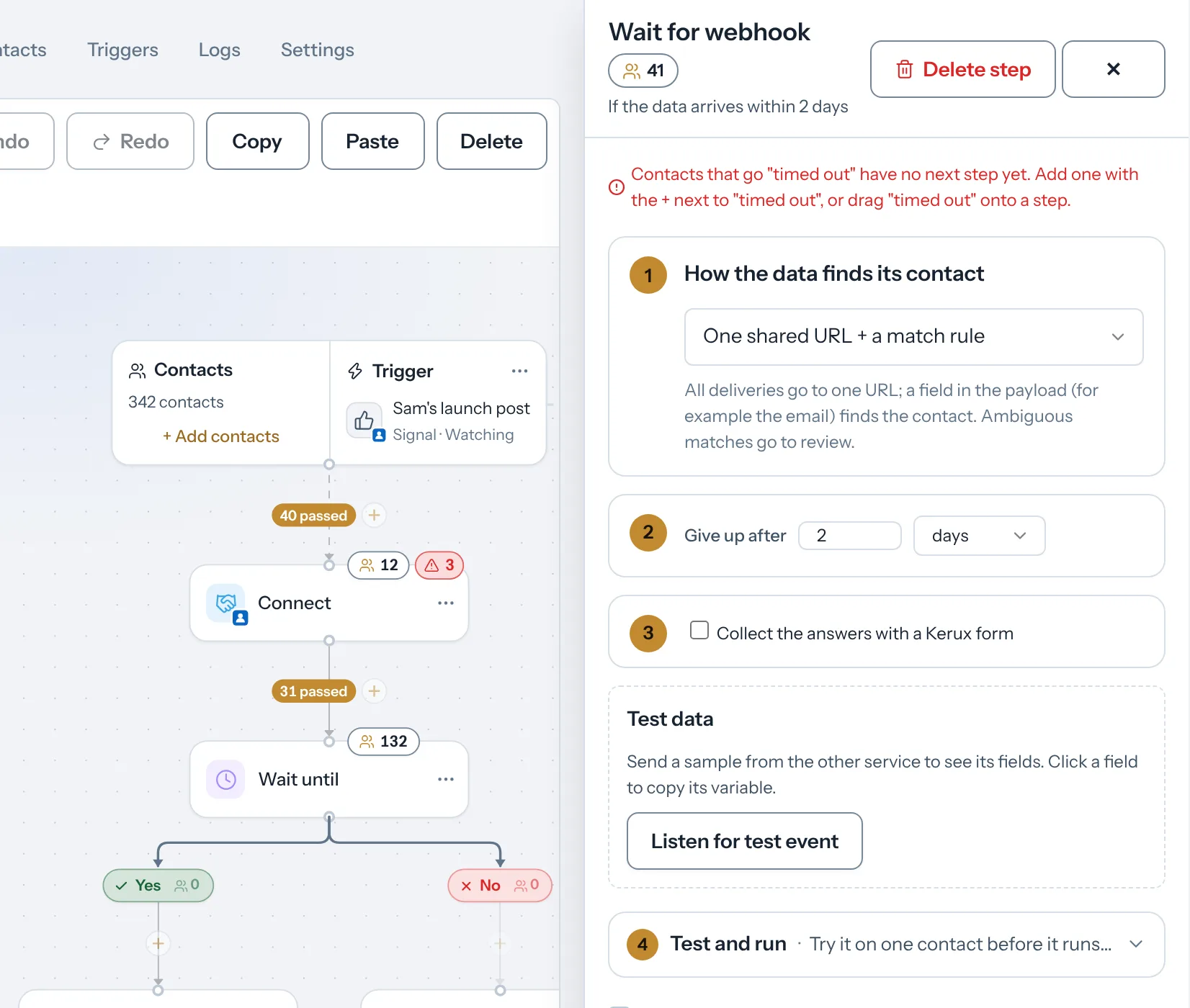
Wait for webhook gives each contact its own callback URL, or one shared URL with a match rule. Click Listen for test event, send one, then click a field to use it as a variable. The contact goes on as received, timed out or invalid data.
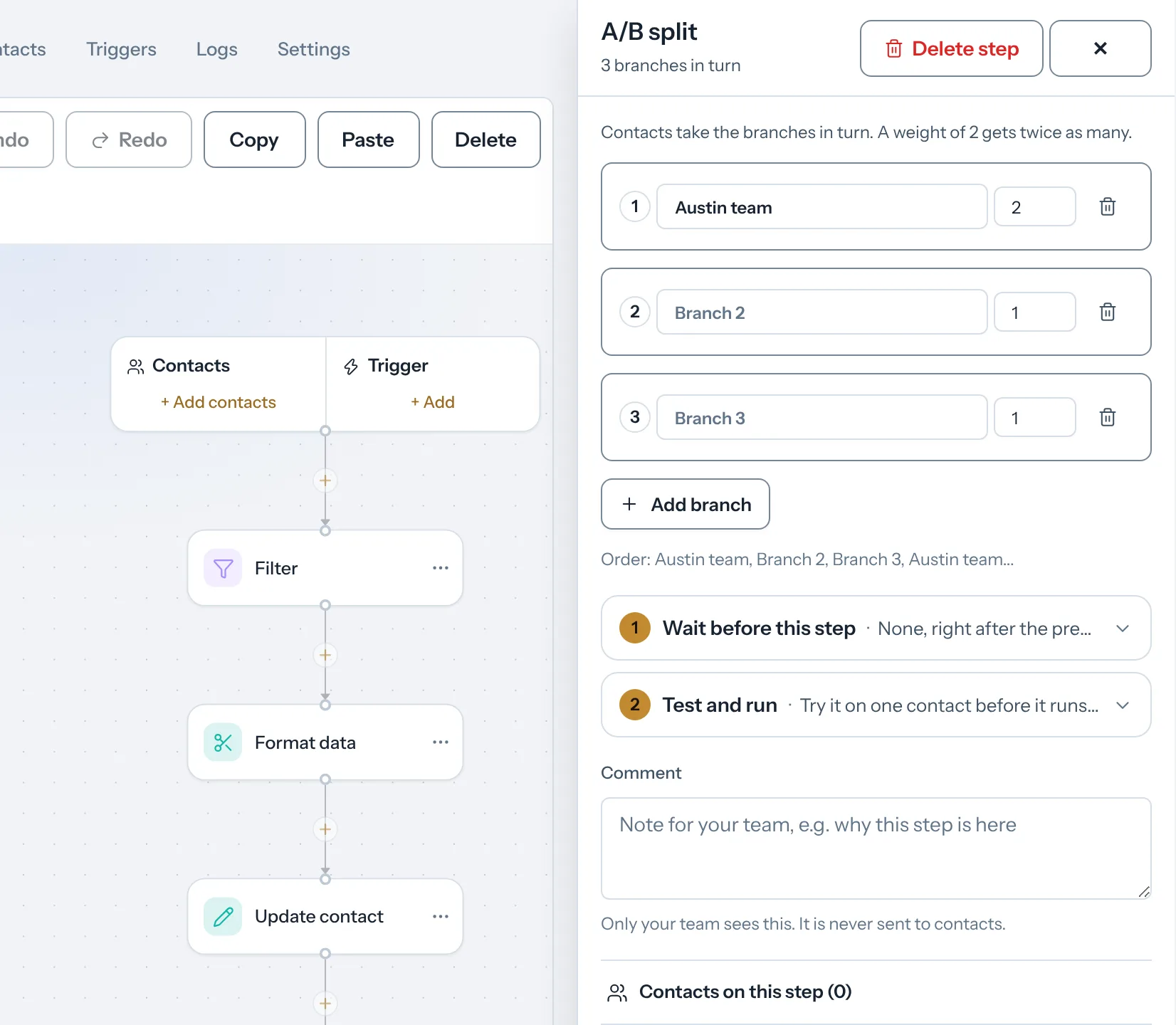
Branch, Filter, Round robin, Format data and Create or update contact work on what came back: split by company size, share contacts between teammates or clean a value before a message uses it.
Rules run beside your campaigns. When an invitation is accepted, a contact replies or books a meeting, a rule can tag them, move them to a step, call an API or send a signed webhook, wherever the contact is.
A Denver recruiting agency wants a different first message for companies with 50 or more employees.
| Situation | Many outreach tools | Kerux |
|---|---|---|
| Webhooks out | Common: the tool sends an event when something happens, such as a reply or an accepted invitation. | Signed webhook events, plus rules and steps that call your API from any point. |
| Webhooks in | Common: an incoming webhook adds leads to a campaign. | Trigger URLs start a campaign, and listener steps take data for contacts already in it. |
| Waiting for another tool's answer | Built outside, in Zapier, Make or n8n, which then pushes the lead back. | Wait for webhook inside the campaign, with a time limit and its own timed out path. |
| Using the answer | Fields mapped back by hand, or in the automation tool. | Click a field from the test event to use it as a variable or branch on it. |
A general picture from public product pages and help centers, checked in November 2026. Tools differ and change, so check the ones you use.
Yes, in Kerux. A Webhook / HTTP step can go anywhere in a campaign, including the middle. It sends the contact's data to another app's API (a CRM, Clay, Slack, Zapier, Make, n8n or your own backend), and the next steps can use the answer.
Add a Wait for webhook step. Each contact can get its own callback URL, or all contacts share one URL and Kerux finds the contact with a field you choose, such as the email. The contact then continues as received, timed out or invalid data.
Nobody continues by mistake. If Kerux can't tell which contact the data belongs to, or it matches more than one, the delivery goes to Home > Tasks so you can assign it.
Yes. Give the campaign an Incoming webhook trigger and send contacts to its trigger URL from any app. A campaign can also start from a tag, a field change, a date, a schedule, a LinkedIn event, a Kerux form or a Facebook or Instagram lead form.
Rules run beside your campaigns and never hold them up. When something happens to a contact (an invitation is accepted, they reply, they book or cancel a meeting, they open an email), a rule can tag them, set a field, move them to a step or another campaign, take them out, send to a webhook endpoint or call an API.
Yes. The app and the public REST API use the same services, so what you do in the app you can do through the API. Kerux also sends signed webhook events for replies, accepted invitations, pipeline stage changes and more.
Webhook / HTTP steps and listeners, and event rules that call a webhook or an API, are part of every plan and the free trial.