

Pro plan for calls out. Event rules that tag, move, notify your team or stop a contact are on every plan. A rule that calls a webhook or an API (a Slack message included) is part of Pro and Agency (and the free trial); on Starter, saving one shows Part of Pro: Webhooks with an Upgrade to Pro button. Rules you already have keep running. See Plans and billing.
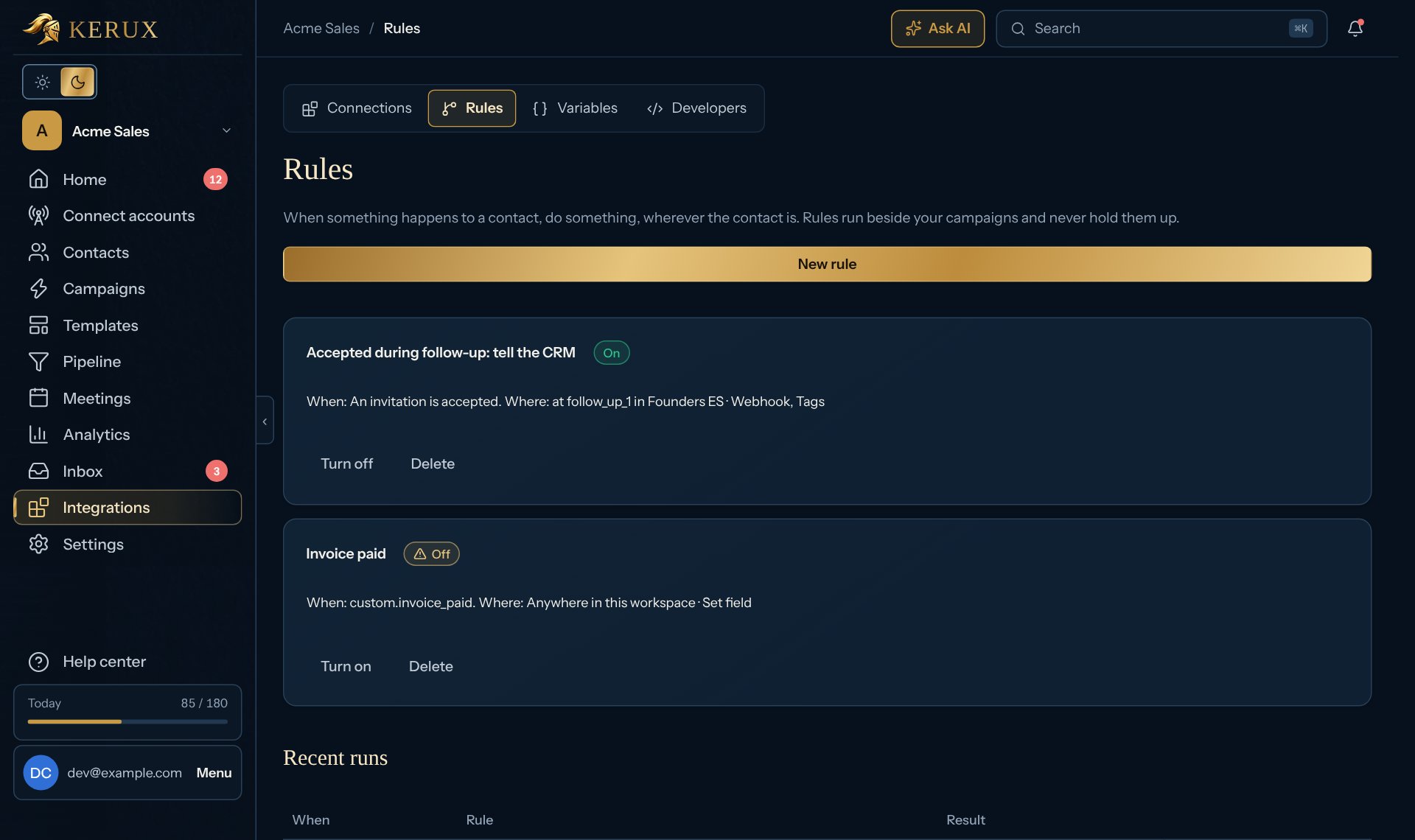
1
Create a rule
Click Integrations > Rules, then New rule, and give it a name.
2
When
Pick the event: an invitation is accepted, sent or withdrawn, the contact replies, the contact books a meeting, the contact’s meeting is cancelled, a possible meeting needs confirmation, the contact reacts to a message, the contact opens an email, the contact clicks a link in an email (campaign emails with tracking on; opens and clicks by mail apps and scanners are left out), a custom event arrives (API or webhook), or anything happens.
3
Where
Anywhere in this workspace, While the contact is in a campaign, or While the contact is on a step.
4
Then
Add one or more actions: add or remove tags, set a contact field, move to a step, move to another campaign, take out of the campaign, send to a webhook endpoint, or call an API. Tick Only once per contact if it should never repeat.
5
Save
Click Save rule. Turn it on or off any time. Recent runs shows what each rule did, with Run again.