

Safe defaults
LinkedIn accounts created less than 30 days ago start lower: 5 invitations per day, 40 per week.
The weekly InMail limit keeps an account under the roughly 800 free Open Profile InMails LinkedIn allows a month (paid InMails are limited by your credits anyway).
What adjusts the limits by itself
- Warm-up: a newly connected account starts at 25% of its limits and adds 10% per week until it reaches 100%. On by default.
- Low acceptance: if fewer than 25% of recent invitations are accepted (over at least 20), invitations are halved to protect the account.
- Good history: after 30 days connected, with 35% or more of invitations accepted, the weekly invitation limit can go up to 150.
Change an account’s limits
1
Open the account
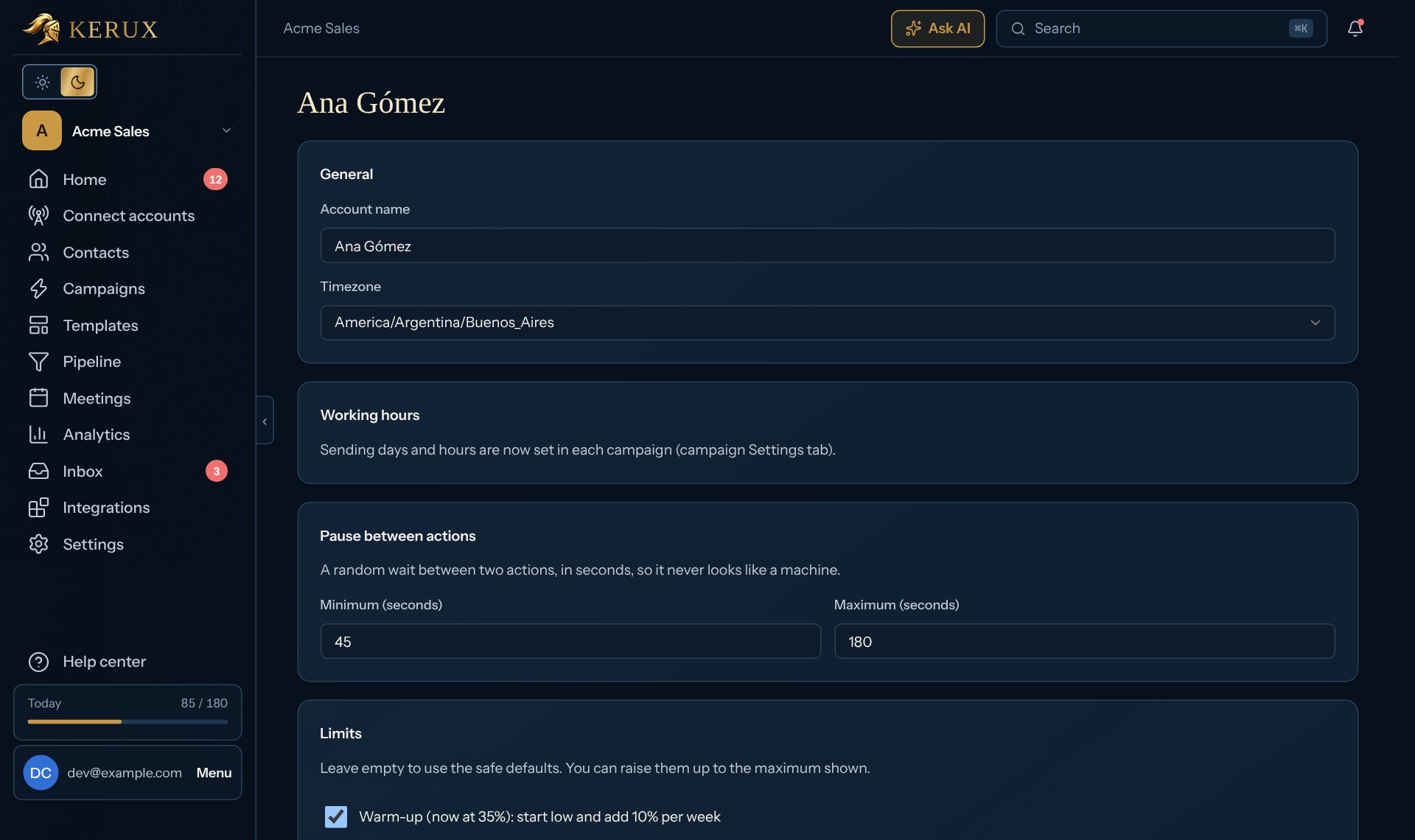
Click Connect accounts, then Manage on the account’s row and Settings: hours, limits, pacing.
2
Edit Limits
Leave a box empty to use the safe default, or type your own number. You can raise each limit only up to the maximum shown.
3
Pause between actions
Set the minimum and maximum seconds between two actions (45 to 180 by default). Kerux picks a random wait in that range so it never looks like a machine. A contact waiting only for this pause shows Queued: the LinkedIn account will do this soon with the time, not a daily limit.
Sending hours
Each campaign only acts on its own days and hours, in its timezone (campaign Settings > Sending schedule). Replies you write yourself in the inbox are not held to working hours, but they still count toward the account’s limits.Common problems
Contacts are waiting for account capacity
Contacts are waiting for account capacity
The account used today’s budget. Contacts continue tomorrow by themselves. To go faster, connect another LinkedIn account and add it to the campaign.
Invitations were halved
Invitations were halved
Acceptance is low. Try a shorter, more personal note (or no note), and target people closer to your network.