

Save a segment
1
Filter your contacts
Open Contacts and use the search, Filters (job title, location, company, source, email, phone, in a running campaign, date added, No activity for, Engagement: Hot now or Any engagement), a tag or a list.
2
Click Save as segment
The button is in the table’s toolbar once a filter is on. Give it a name (each segment needs its own) and it is saved for everyone in the workspace. A workspace can have up to 200 segments.
Manage segments
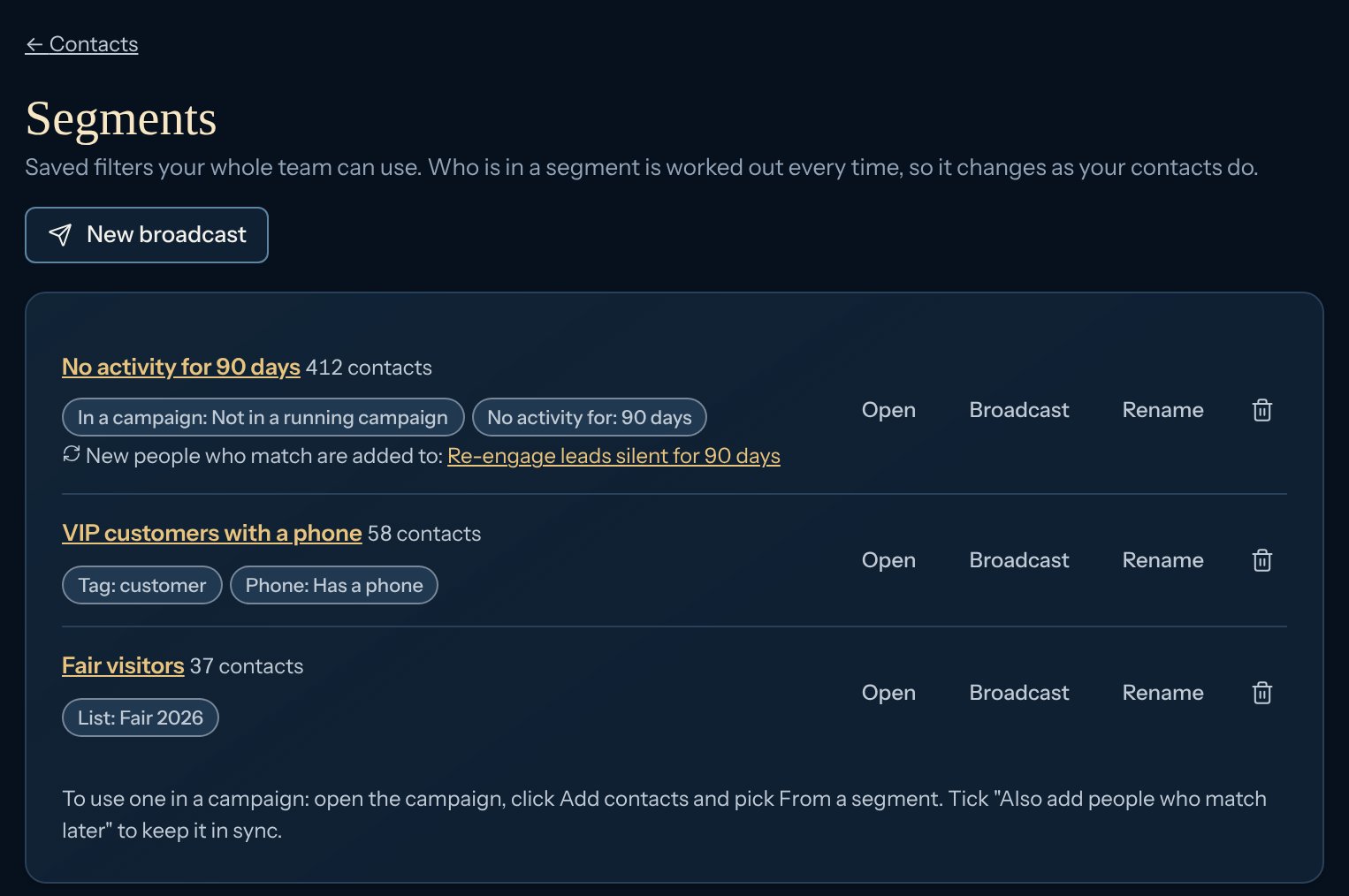
Use a segment as a campaign’s audience
1
Add contacts
In the campaign, click Add contacts and choose From a segment, then the segment.
2
Keep it in sync (optional)
Tick Also add people who match later. Kerux checks every 10 minutes and adds each new person who matches, once. This adds the campaign’s Matches a segment trigger, shown in its Triggers tab, where you can remove it.
Send one message to a segment
Use a broadcast: one message on LinkedIn, email or WhatsApp, now or at a time.API
The public API has the same segments:GET and POST /v1/segments, GET, PATCH and DELETE /v1/segments/{id}, GET /v1/segments/{id}/leads (the contacts in it now) and POST /v1/segments/count (how many contacts some filters match). GET /v1/leads also takes has_phone, added_within_days and quiet_days.